
How to Redact Contracts Before Sharing With Counterparties
Overlay redaction - drawing black boxes in Word or a PDF editor - leaves text selectable underneath. For in-house teams sharing contracts with counterparties, regulators, or courts, this guide covers what proper redaction looks like and where it typically breaks down.
By RedactProof Editorial Team · May 1, 2026 · 12 min read
This article is for general informational purposes only and does not constitute legal advice. Regulatory requirements vary by jurisdiction and change over time. Consult a qualified legal professional for advice specific to your organization's circumstances.
A technology company is six weeks from closing an acquisition. The legal team needs to share the target's master services agreement with the buyer's outside counsel - but the contract contains pricing schedules, named sub-processors, and earn-out mechanics that are subject to confidentiality restrictions. The in-house team cannot redact in a standard contract review tool because they don't have one. The CLM system doesn't handle redaction. And the 'draw a black box in Word' approach that someone tried once produced a version where the text was still selectable underneath.
This scenario is routine. In-house teams regularly need to share contracts, board minutes, M&A documentation, and litigation files with counterparties, regulators, and courts - and the redaction tooling available to them is often inadequate, expensive, or both. This guide covers the specific workflows where contract redaction matters, what typically goes wrong, and what a proper approach looks like.
Why the 'PDF blackout in Word' approach is a liability
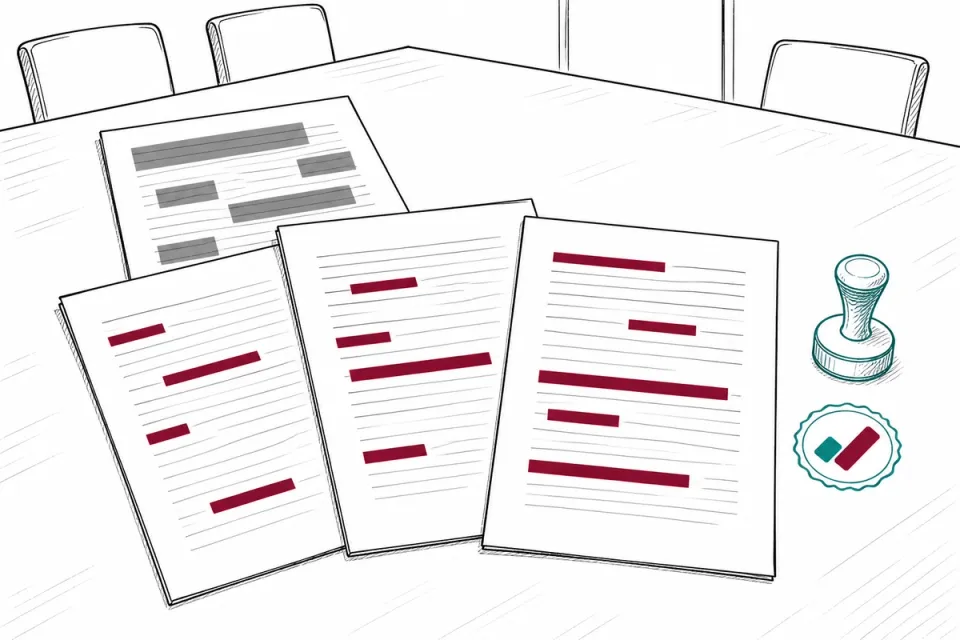
Most accidental data disclosures in shared contracts happen because someone used overlay redaction - a black rectangle drawn on top of text - rather than a method that permanently removes the underlying content. The distinction matters because overlay redaction doesn't delete anything.
There are three common failure modes. First: the recipient opens the PDF in a tool that ignores the overlay layer and reads the text directly. Second: 'Select All', copy, paste into a text editor - the text under the black box comes with it. Third: the file is converted to a different format and the overlay disappears entirely.
This is not theoretical. Law firms and corporates have faced significant embarrassment - and in some cases sanctions - because overlay redaction failed in produced documents. Courts have noted the failure of overlay redaction in discovery contexts. In-house teams that use Word annotation tools or basic PDF comment layers as a compliance measure are carrying an undisclosed risk with real downstream consequences.
Pixel-burn redaction - which destroys underlying text at the file level - is the only method that actually works. Our guide to common redaction mistakes covers this failure mode in detail, including how to identify existing documents that were overlay-redacted.
Counterparty redline exchange
Commercial contracts shared during negotiation regularly contain information that cannot go to the other side: pricing from a separate client relationship used as a reference point, sub-contractor identities subject to independent NDAs, internal margin calculations in payment schedules, or deal terms from an earlier negotiation round.
Most in-house teams share contracts in formats designed for collaborative editing - tracked changes, comments, revision history. Each is a potential disclosure vector. Revision history in a Word document can reveal earlier deleted text. Comments sometimes contain internal strategy notes that were never cleared before sharing. Track changes may show the progression of a negotiation position one party would prefer not to disclose.
Before a contract leaves the organization in any format: accept or reject all tracked changes, strip comments, and clear document properties and metadata. If exporting to PDF, redact any content that requires removal before generating the final file - not after. Redacting a PDF after export is the correct sequence only for scanned documents or third-party PDFs. For documents you control, redact at source.
For repeat counterparty exchanges, the legal operations team can maintain a template redaction decision log: a standing record of which fields are redacted for which counterparty category. This prevents the same decision being made ad hoc by whoever is under pressure on a given day.
SEC and regulatory disclosure
When the SEC, FTC, or a state regulator requests documents, in-house teams face competing pressures: the obligation to cooperate, the risk of over-disclosure, and the need to protect attorney-client privilege. Regulatory document requests typically carry subpoena authority, which creates a legal obligation to produce specified documents - but that obligation does not require production of material outside the scope of the request, nor does it waive privilege.
The defensible approach is to produce documents with three categories removed: material genuinely outside the scope of the request, third-party personal data not relevant to the matter, and attorney-client privileged communications. Each category of redaction should be identified to the regulator in a covering schedule. Silent redaction - blacking out text with no explanation - is generally viewed as non-cooperative and typically triggers follow-up demands.
Attorney-client privilege is not waived because the SEC or FTC asked for the document. The standard approach is a privilege log: a schedule identifying each withheld item, the nature of the communication, and the attorney involved - without disclosing the privileged content itself. Privilege claims are routinely challenged in regulatory proceedings. A contemporaneous log is considerably more defensible than a retrospective assertion.
For broader guidance on regulatory and disclosure redaction workflows, see our guide to redacting documents for disclosure.
M&A data room preparation
Data room preparation is where in-house contract redaction is most systematically required. A buyer's due diligence review will access hundreds or thousands of documents - customer contracts, supplier agreements, employment terms, IP licenses, property leases - and most contain information that needs to be withheld until the deal reaches an appropriate stage, or altogether.
The redaction decisions in an M&A data room typically fall into several categories:
- Customer names and counterparty identities - where the target company's customer relationships are subject to confidentiality clauses or where disclosure to the buyer creates commercial risk before signing
- Commercially sensitive pricing - unit prices, margin data, rebate structures that are not material to deal valuation but would be useful to a competitor or create post-deal leverage
- Personal data of individuals outside the due diligence scope - employee Social Security numbers, health information, personal contact data beyond what is needed to assess headcount
- Information about third-party disputes or litigation not being disclosed as a deal risk
The common mistake is treating data room redaction as a one-time manual task done under deal pressure. Large deal teams use a tiered disclosure approach: an initial data room with heavy redaction, then progressive disclosure as due diligence advances and additional NDAs are signed at senior levels. The redaction decisions for each tier should be documented in a disclosure schedule, both because the buyer may challenge withholding and because the same schedule becomes an anchor for representations and warranties.
AI-assisted redaction tools that can process large document sets are increasingly standard in enterprise-grade VDRs. For in-house teams running deals without full eDiscovery infrastructure, browser-based tools that process documents locally provide a practical alternative. RedactProof's AI detection identifies 40+ PII types automatically and processes documents in your browser - the documents themselves never leave your control. At the deal volume typical for mid-market M&A, that removes a meaningful data room security exposure.
Board minute disclosure
Board minutes present a specific redaction challenge because they often contain attorney-client privileged content - reports from general counsel on litigation risk, regulatory exposure, or M&A strategy - mixed with ordinary commercial decisions. Multiple parties may have legitimate interests in different parts of the same document.
When board minutes are requested in regulatory proceedings, in connection with a financing, or in litigation discovery, in-house counsel typically needs to produce a version that removes privileged passages, third-party personal data, and information about unrelated matters. The challenge is that board minutes are rarely structured to make these separations clean - privileged legal advice is often embedded in the middle of a commercial discussion.
Redacting board minutes properly requires a document-by-document review with human sign-off on each decision. The practical workflow is to produce a redacted PDF where each removed passage is replaced by a placeholder describing the category of withheld content - for example, '[Attorney-client privileged - general counsel advice]' or '[Third-party personal data - employee]'. Placeholders make the redaction structure visible to the recipient without revealing the withheld content, and they demonstrate that the redaction was deliberate.
Subpoena response and document production
When litigation is filed or threatened, in-house teams face two simultaneous obligations: the duty to preserve documents relevant to the proceedings under a litigation hold, and the obligation to ensure that anything produced in discovery has been reviewed for privilege, relevance, and confidentiality.
Federal civil procedure (FRCP Rule 26) requires production of documents a party may use to support its claims or defenses. Documents produced in discovery must be provided in their original form - you cannot redact simply to remove unhelpful content. But privilege is a genuine basis for withholding. Personal data genuinely unrelated to the matter - employee records of individuals not involved in the dispute, customer data from accounts not at issue - can sometimes be redacted when the producing party can demonstrate the information is irrelevant.
The standard process for discovery redaction involves preparing a privilege log identifying every document withheld and every document produced with passages redacted, together with the basis for each. Opposing counsel will scrutinise this log. Redaction decisions that cannot be justified with a clear legal basis will be challenged, and courts have ordered production of purportedly privileged documents where the privilege claim was inadequately supported.
For in-house teams without dedicated eDiscovery tooling, browser-based redaction with automated PII detection significantly reduces manual review time. For more on compliance disclosure workflows, see our guide to document redaction for compliance teams.
Tooling for in-house teams
Enterprise eDiscovery platforms - Relativity, Nuix, DISCO - are built for large-scale document review in complex multi-party litigation. They are appropriate for law firms managing hundreds of thousands of documents. For in-house teams running a data room preparation, a regulatory response, or a periodic M&A deal, the procurement, implementation, and licensing overhead rarely makes sense.
The alternative is not to fall back on Word annotation tools or Adobe's basic comment layer. Browser-based redaction tools can handle the document volumes typical of in-house work without requiring IT procurement, vendor approval, or software installation. A legal operations manager at a startup with no IT department can run the same workflow as an in-house team at a public company.
RedactProof is designed for exactly this gap. Documents are processed in your browser - no upload to a vendor server - and the AI detection engine identifies personal data, financial identifiers, and other sensitive content automatically. Verification certificates with Ed25519 digital signatures provide a cryptographic record that the document was redacted at a specific point and has not been modified since. For deal teams and regulatory productions where chain-of-custody matters, that is a meaningful capability.
For a comparison of the tools available to legal teams, see our guide to the best redaction software for lawyers.
Frequently asked questions
Frequently Asked Questions
What is the difference between overlay redaction and pixel-burn redaction?
Do I need to disclose to a counterparty what I have redacted from a contract?
Can personal data be redacted from documents produced in litigation discovery?
Does attorney-client privilege apply to advice from in-house counsel?
See it in action
Upload a document and let RedactProof find the sensitive data. Free to start, no card required.