
Legal Redaction Software UK: What Law Firms Should Look For
Most legal professionals redact documents weekly - during SAR responses, litigation disclosure, or FOI processing. Picking the wrong tool means either paying too much, uploading confidential files to external servers, or a paralegal spending hours on manual work that should take twenty minutes. This guide covers what to look for, how solo practitioners and paralegals differ from enterprise eDiscovery users, and how the main options compare.
By RedactProof Editorial Team · 18 Feb 2026 · Updated 6 Sept 2026 · 4 min read
The one fact that decides everything
A black box drawn over text in most PDF editors is a picture. The words underneath are still in the file - selectable, copyable, searchable. Real redaction destroys the text layer and replaces it with pixels. The trade term is pixel-burn.
If a document leaves your firm with recoverable text behind the marks, that is a data breach, not a formatting error. It happens to firms more often than anyone admits. The ICO's guidance on disclosing documents securely sets the same test: check the output, not the marks.
| The job | Why it is hard by hand | What to look for |
|---|---|---|
| Disclosure bundle | A name on page 180 is as much a breach as one on page 1 | Automatic detection across the bundle, reviewed by a person |
| SAR response | The requester's data stays in; everyone else's comes out | Approve or reject each detected item, not blanket find-and-remove |
| Court filing | A filing rejected for bad redaction costs you days | Pixel-burn export, verified before it leaves the building |
| Privileged material | Uploading client files to a vendor is itself a disclosure | Processing on your own device, inside your own network |
| The awkward question later | "Has this changed since it was exported?" | A certificate that answers it with cryptography, not memory |
A paralegal's week
Partners set the policy. Paralegals process the documents. A normal week might hold a disclosure bundle, three SAR responses, a tribunal file and a stack of financial statements for a lender - and most redaction software assumes whoever opens it has time to draw boxes around every name across 200 pages.
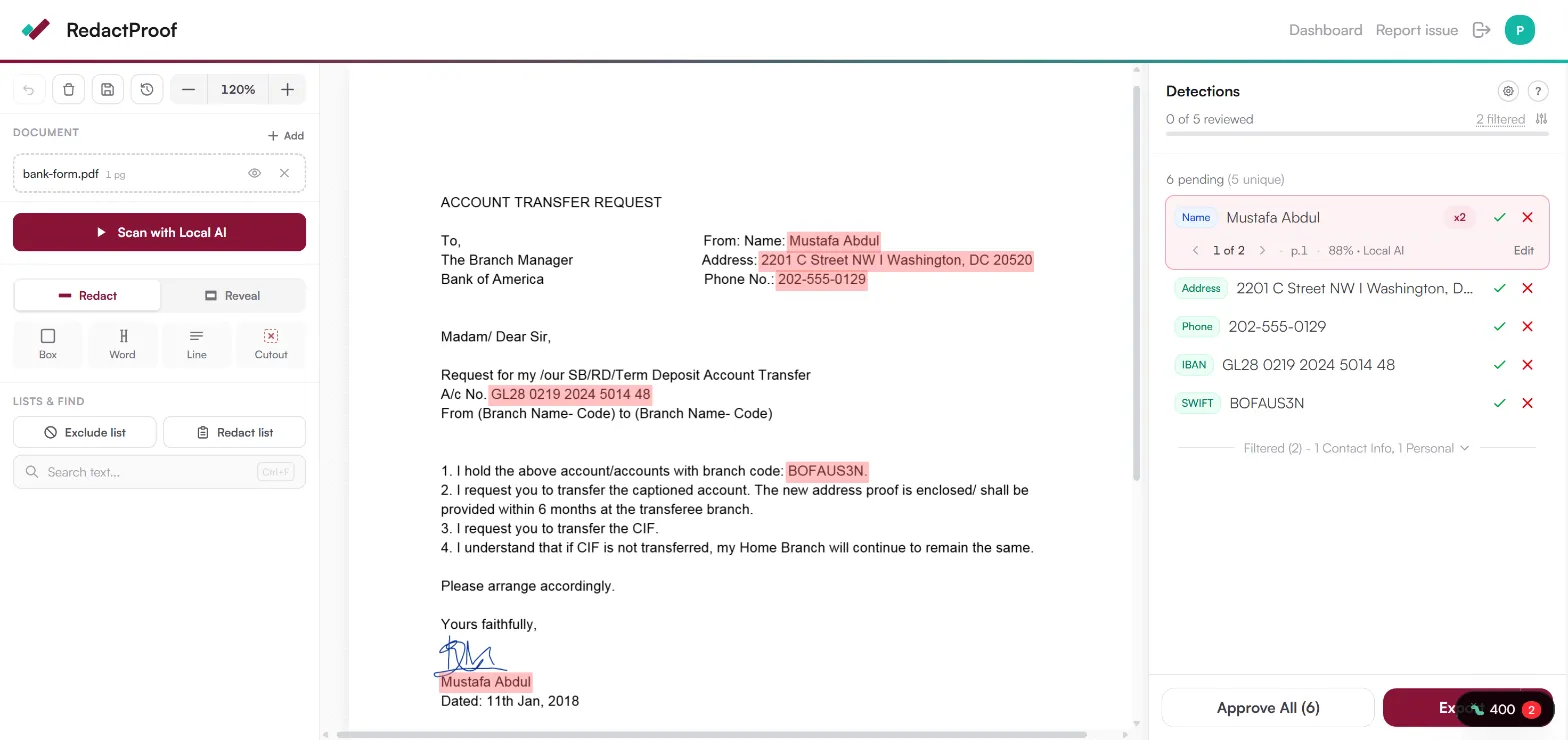
Automated detection flips the job. A 90-page lease carries dozens of names, addresses and NI numbers scattered through the schedules. Detection flags the lot with confidence scores; you review and confirm instead of hunting. Discovery drops from forty minutes to five. The judgement stays human - the hunting doesn't.
What you need - and the enterprise features you don't
Relativity, Everlaw and their peers are built for litigation support teams processing millions of documents: custodian management, legal holds, predictive coding. Real features - for that job. A two-partner practice or a paralegal with ten SARs this week pays for all of it and touches none of it, on a custom quote with an annual contract.
The short list that actually matters:
- Pixel-burn redaction that permanently destroys the text
- Automated detection that knows UK document types - tenancy agreements, court forms, SAR bundles
- Nothing to install and no IT approval - it works in the browser on whatever machine you're at
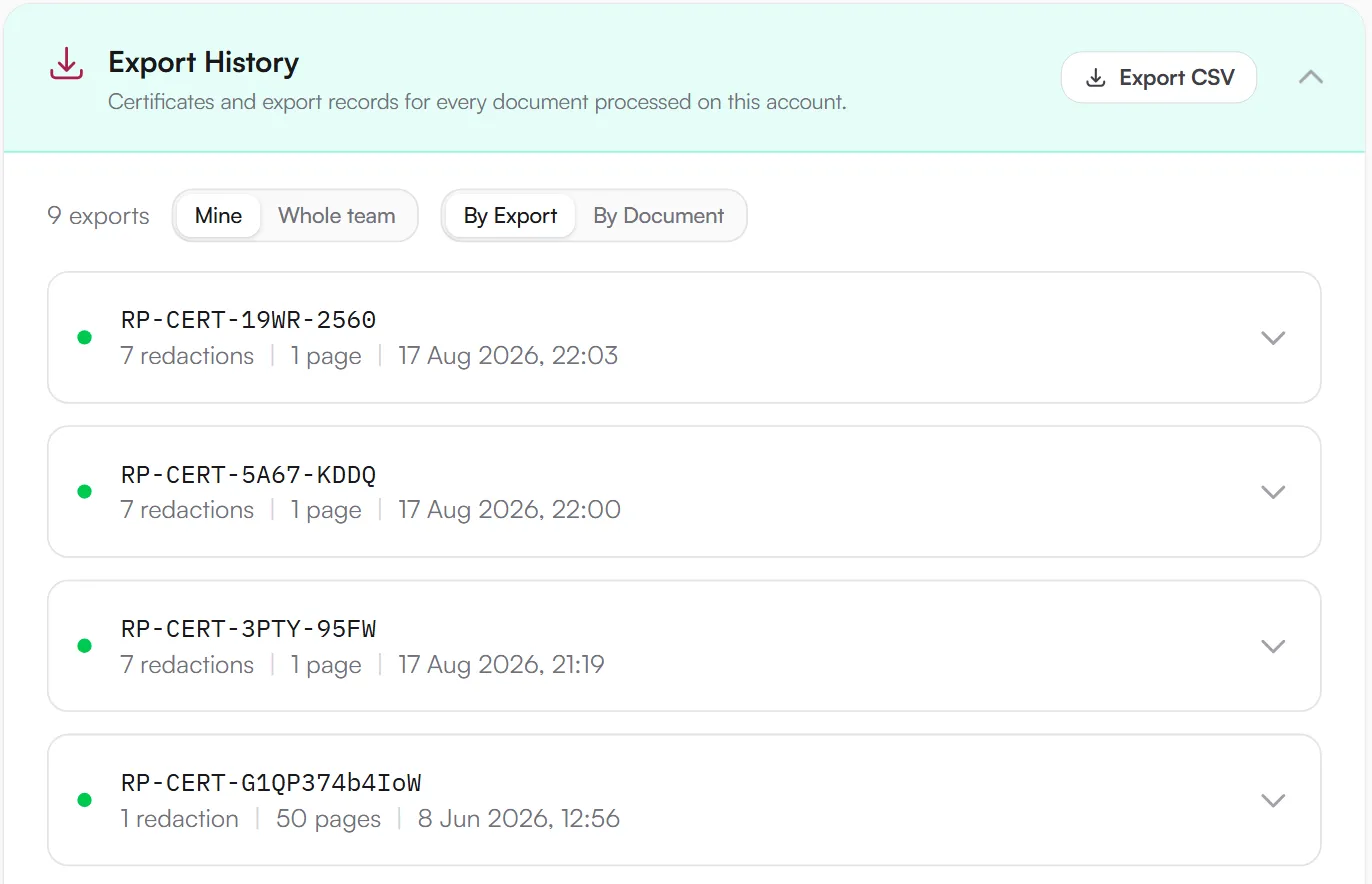
- A dated, signed certificate for every export, for the day opposing counsel asks
- Pricing a small practice can say yes to without a procurement cycle
The privileged bundle is uploaded to the vendor's servers before anything is redacted
The bundle stays in your browser; detection and redaction happen on your device
How the main options compare
Adobe Acrobat Pro - the tool most firms already have. Its redaction is genuine pixel-burn and it works. There is no automated detection: someone draws every box on every page, and on a 200-page bundle that is the whole afternoon. Full Acrobat comparison.
Redactable - purpose-built, AI detection, handles bulk well. The trade-off: your documents are uploaded to its servers for processing, which is a real conversation for privileged material. Redactable comparison.
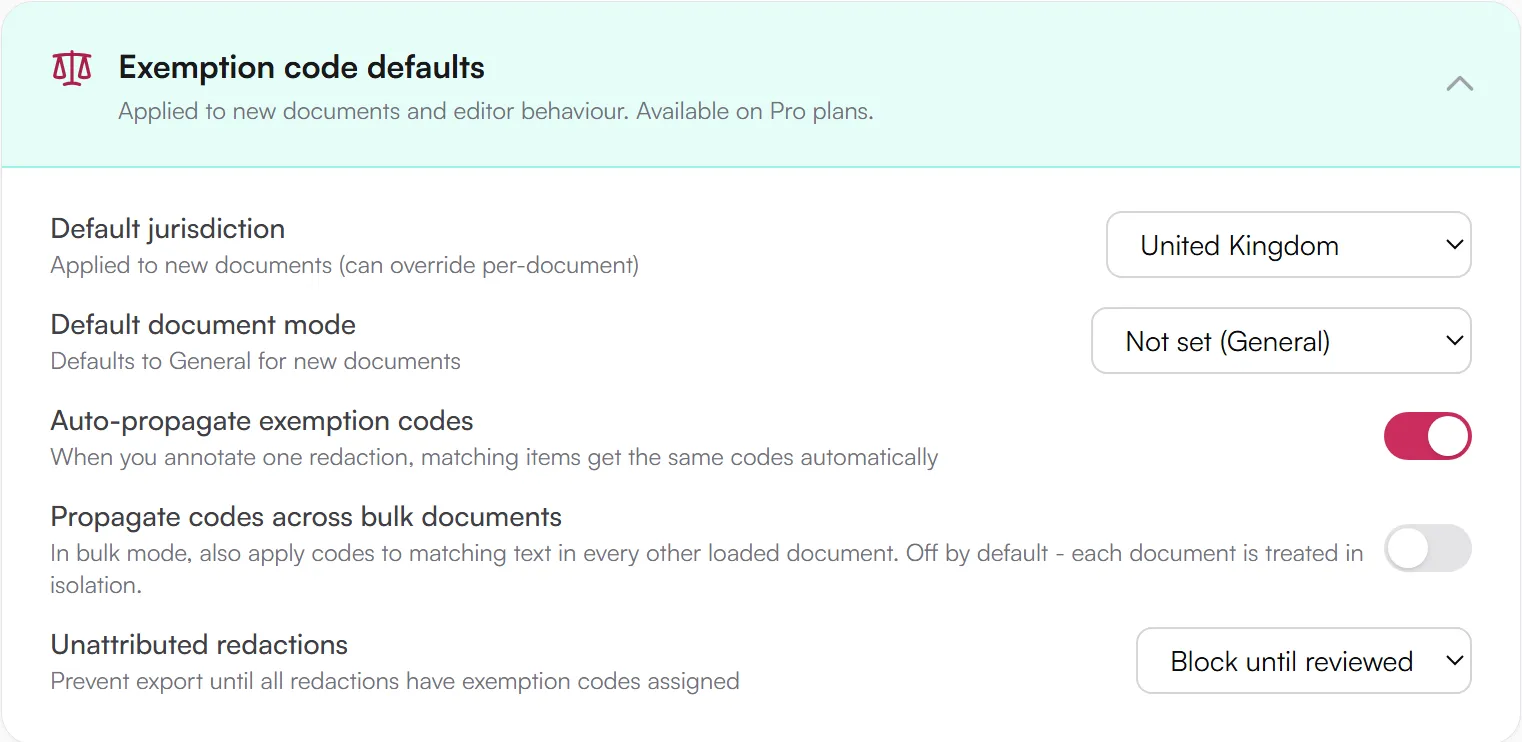
RedactProof - detection, review and pixel-burn in the browser; files never leave your device. Automatic detection of 60+ PII types with confidence scores, exemption codes for SAR and FOI work, Bates numbering for bundles, and a tamper-evident certificate on every export.
Foxit and Nitro - desktop editors with Acrobat-style manual redaction; their AI add-ons upload to Azure with document caps. See the Foxit and Nitro breakdowns, or the wider browser vs desktop comparison. The full field is in our roundup of 19 redaction tools.
The four-check trial
Before committing, run one real (or realistic) document through any tool on the shortlist:
- Feed it mixed PII - names, addresses, dates of birth, NI numbers - and score what it catches
- Open the output in a different viewer and try to copy text from behind the marks
- Check where processing happens against your data handling policy - especially for anything privileged
- Price it at your real volume - per-document fees bite on recurring SAR work. The buyer's guide has the full framework
Try it free
Open a bundle with the litigation profile on
Every account starts with one source document free, with the full Pro feature set and unlimited re-exports of that document. This opens the editor with the litigation bundle profile applied - Bates numbering, attributed redactions and the audit ZIP, set up the way a disclosure team would run it.
- Bates numbering
- Audit ZIP with every export
- Attributed redactions enforced
No card. Processed in your browser; nothing is uploaded.
Then get the workflow right
Good software still produces flawed disclosures when the process around it is broken. Gather the full review set, convert stray formats (Word files with tracked changes are a known trap), run detection, review for exemptions and contextual identifiers, burn, verify, release. The disclosure workflow guide walks each stage, including the SAR and FOI specifics. The first one takes longest; by the tenth it should be mechanical.
DisclaimerThis guide is for informational purposes only and does not constitute legal, medical, or professional advice. Consult a qualified professional for advice specific to your situation.
Frequently Asked Questions
Is overlay redaction ever acceptable for legal disclosure?
It depends on the context and the rules governing the specific disclosure. Overlay redaction leaves the original text intact in the PDF file structure, which means anyone with a PDF editor can recover it. For court-ordered disclosure, SAR responses, or any situation where the document leaves your control, permanent pixel-burn redaction is the appropriate approach. Some internal workflows where documents stay within the firm may tolerate overlay, but it introduces unnecessary risk - and if a document is ever re-disclosed externally without re-checking, you have a problem.
Do paralegals need the same features as enterprise eDiscovery platforms?
No. Enterprise eDiscovery platforms are built for large-scale litigation support: millions of documents, complex multi-matter workflows, predictive coding, and custodian management. A paralegal processing SAR responses or preparing a court disclosure bundle needs reliable pixel-burn redaction, automated PII detection, and a straightforward review workflow. The enterprise features add cost and complexity without adding value for that use case. Match the tool to the actual volume and workflow.
Do I need verification certificates for every redacted document?
There's no universal legal requirement for verification certificates on redacted documents. They're useful when you need to demonstrate that a document is exactly what was exported - during litigation disclosure, for instance, or when responding to regulatory requests. If the other party or a court questions the integrity of your redacted documents, a verification certificate provides dated cryptographic evidence. Some firms include them as standard practice for any external disclosure.
Can browser-based tools handle large document bundles?
Yes. RedactProof processes documents in your browser using your device's resources, so performance scales with your hardware. A modern laptop handles multi-hundred-page PDFs without difficulty. For very large bundles - thousands of pages - processing in batches is more practical than loading everything simultaneously. The advantage of browser-based tools for legal work is that no installation or IT approval is required, which matters in firms with locked-down IT environments or for paralegals working across different offices.
What if our firm already pays for Adobe Acrobat?
Many firms have Acrobat licences for general PDF work. Acrobat's redaction feature is genuine pixel-burn and works correctly. The gap is efficiency: Acrobat has no automated PII detection, which means someone reviews every page manually. For firms processing more than a handful of documents monthly, a tool with AI detection pays for itself in time saved. Some firms use Acrobat for general PDF editing alongside a dedicated redaction tool for the actual redaction work.
Related Documentation
See it in action
Upload a document and let RedactProof find the sensitive data. Free to start, no card required.