
Redact a PDF Without Uploading: Browser vs Desktop Compared
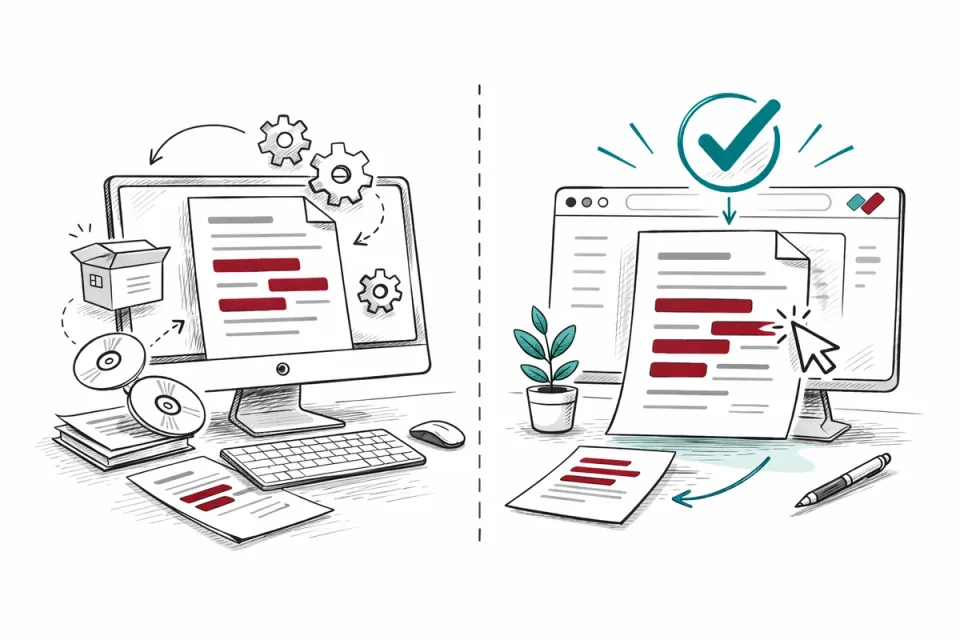
Desktop redaction tools have been the default for years. Adobe Acrobat, Foxit, Nitro - install the software, open the document, draw your redaction boxes. Browser-based tools are newer. They run in your web browser without installation. Both can do the job. The question is which fits your specific working situation.
By RedactProof Editorial Team · 18 Feb 2026 · Updated 6 Sept 2026 · 4 min read
What "browser-based" means in practice
A browser-based redaction tool runs inside your web browser - Chrome, Edge, Firefox, Safari. You navigate to the tool's URL, load your document, and work. No download, no installer, no IT ticket.
But "browser-based" covers two very different architectures. Some browser-based tools are really cloud applications: your document is uploaded to the vendor's servers, processed there, and returned to your browser. The browser is just the interface. Your files travel to someone else's infrastructure. The NCSC's cloud security guidance applies to that kind of tool in full: you are choosing a supplier to hold your documents, not just a piece of software.
Others process locally. The application code runs in your browser, and the document never leaves your device. Your browser does the computation using your hardware. From a security perspective, this is similar to a desktop application - the data stays local.
RedactProof uses local browser processing. Your documents and their text never leave your device, on every plan. There is no cloud mode. This distinction - local browser versus cloud browser - is worth clarifying with any tool you evaluate.
Desktop tools: what they do well
Desktop applications have mature feature sets. Adobe Acrobat Pro has been around for decades. It handles complex PDFs reliably - documents with layers, embedded fonts, interactive forms, large file sizes. Performance is consistent because it uses your machine's full resources without browser sandbox constraints.
If your organisation already has a volume licence for a desktop PDF suite, the marginal cost of using its redaction feature is zero. The tooling is there. The staff know it.
Desktop tools also work fully offline. No internet connection needed at any stage. For organisations in secure environments - defence contractors, certain government agencies, air-gapped networks - this can be a hard requirement.
The trade-offs are deployment friction and feature gaps. Every machine needs the software installed and maintained. Updates need rolling out. New staff wait for IT to provision their licence. And most desktop PDF tools offer manual redaction only - you find the PII yourself, you draw the boxes yourself, you check the result yourself.
Browser-based tools: what they do well
Zero installation means same-day adoption. A compliance officer who discovers a redaction need at 2pm can be processing documents by 2:05pm. There's no procurement cycle, no IT ticket, no waiting for licence keys.
Browser-based tools work across devices. Start on a desktop, continue on a laptop, finish on a tablet if needed. Nothing is device-specific.
AI-powered PII detection is more commonly available in browser-based tools, partly because the business model (subscription rather than perpetual licence) supports ongoing development. Automated detection that scans for 40+ PII types and flags them with confidence scores is the main time-saving feature over manual-only tools.
The trade-offs are performance limits and connectivity requirements. Browser tabs operate within a memory sandbox, so extremely large documents (several hundred megabytes) may be slower to process than in a desktop application. You need an internet connection to load the tool initially, although local-processing tools work independently after that.
Security comparison
The key security factor is whether your document file leaves your device during processing.
Desktop tools process locally. The document stays on your machine. No internet required, no third-party involvement.
Browser-based tools with local processing (like RedactProof) also keep the document on your device. The browser does the work. Internet is needed to load the tool initially, but document processing is local.
Browser-based tools with cloud processing upload your document to external servers. This creates a data processing relationship under GDPR, requires a DPA, and means your confidential files travel to third-party infrastructure.
For confidential documents - legal files, medical records, HR data, financial information - the distinction between local and cloud processing matters more than the distinction between desktop and browser.
Making the choice
If you're in an IT-locked environment where installing software takes weeks, browser-based is the practical choice. If you need fully offline operation with no internet dependency, desktop is the only option. If your primary concern is data security and you want AI-powered detection, a local-processing browser tool gives you both.
Most organisations don't need to pick one exclusively. Desktop tools can handle general PDF editing while a browser-based redaction tool handles the sensitive documents that need automated detection and verification. They coexist without conflict. Our roundup of 19 redaction tools marks which of them process locally and which upload.
Frequently Asked Questions
Are browser-based tools as secure as desktop applications?
That depends on the architecture. A browser-based tool that processes documents locally (in your browser, on your device) has a comparable security profile to a desktop application - the document doesn't leave your machine in either case. A browser-based tool that uploads documents to cloud servers is a fundamentally different security model. Ask the vendor where the document goes during processing.
Can browser-based tools handle large PDF files?
Modern browsers can handle documents of significant size, typically up to several hundred pages without difficulty. Very large files (hundreds of megabytes, thousands of pages) may process more slowly in a browser than in a desktop application due to browser memory constraints. For typical legal, HR, and compliance documents, browser-based tools perform well. If you routinely work with extremely large technical documents, test with a representative sample.
What happens if I lose internet connection while using a browser-based tool?
For local-processing tools like RedactProof, once the application is loaded in your browser, document processing continues without an internet connection. You need connectivity to initially load the tool, to download the AI detection models, and to generate verification certificates (which require a server-side signing step). The actual detection and redaction work uses your device's hardware.
Related Documentation
Try it yourself
Put this into practice with RedactProof. Free account, no installation needed.