
Handle data access requests without uploading a single file
Detect and redact personal data across SAR responses, audit reports and investigation files in your browser, keep a full audit trail, and export professional, watermark-free copies.
No file uploads. No install. Free to start.
How it works
1. Open your document
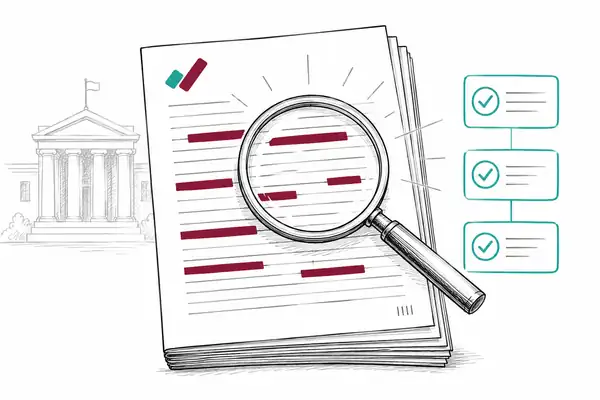
Load any PDF, scan or image in your browser. Nothing is uploaded - it stays on your device.
2. Detect the personal data
Automatic detection finds 60+ types of personal data on your device, including names, addresses and ID numbers.
3. Redact and export
Apply permanent pixel-burn redaction - the text is destroyed, not just hidden - then export with an optional tamper-evident certificate.
Built for the work you actually do
Tight SAR deadlines and high volumes
Bulk process batches and let AI surface 60+ PII types, so you are not reading every line by hand.
Third-party personal data inside a SAR
Detect and redact names, contact details and identifiers across the bundle before disclosure.
Evidencing what you redacted and when
A full audit trail and exportable log records every redaction for your files.
Uploading personal data to a SaaS tool
Nothing is uploaded for standard detection and redaction. The work happens on your device.
The access request is where redaction goes wrong
A consumer or records access request gives a person the right to a copy of their own personal information, but you have to remove everyone else’s personal information, and anything exempt, before you send it. Get that wrong and the response itself becomes a privacy breach rather than a routine disclosure.
Under the California Consumer Privacy Act, businesses must give consumers access to the personal information they hold, with a baseline of 45 days to respond. For health information, HIPAA’s right of access gives individuals a copy of their records within 30 days. Both are high-volume obligations that have to be met correctly, not just quickly.
The clock does not stop for volume
CCPA gives 45 days, extendable by a further 45 with notice; HIPAA gives 30 days, extendable once by 30. None of those deadlines flex because the file is large or full of third-party data to redact. That time pressure is what makes consistent, fast detection matter.
What to redact in an access request
Third-party personal information. Names, contact details, Social Security numbers and identifiers of anyone other than the requester. A person can be identifiable without their name, so watch for roles in small teams and specific dates that point to one individual.
Confidential sources. Information that would identify someone who provided a reference or raised a concern in confidence.
Exempt material. Attorney-client privileged advice, trade secrets and other content that falls within a recognized exemption, applied narrowly and documented.
Redact without uploading, keep the audit trail
RedactProof detects 60+ types of personal information on your device, you confirm and redact, and it keeps a log of what was removed for your own records. The requester’s file never leaves your browser, so you are not uploading personal information to a third-party service in order to protect it.
Discovery and litigation raise the same redaction problem with court-specific requirements. If your work crosses into that, see our redaction page for legal teams.
Common questions
Does RedactProof help with CCPA and HIPAA access requests?
Yes. It detects and redacts personal information, keeps an audit trail, and exports professional copies for the requester, all without the file leaving your device.
Can I keep a record of what was redacted?
Yes, on Pro. Pro includes the full audit trail and an exportable redaction log, plus exemption codes, so each entry also records why the redaction was applied.
Where are the documents processed?
In your browser. Detection and redaction are all client-side, and your documents and their text never leave your device.
What happens if we miss a piece of third-party data in an access request?
It can be a reportable breach under HIPAA or state breach-notification laws. Consistent automated detection plus a human review is how you avoid the miss before the response goes out.
How your files are processed
Files open in your browser, and every step from detection to the final burn runs on your own hardware. It works like a desktop app, without the install, and nothing is uploaded.
Only content-free data reaches us: a one-way hash of each export so its certificate can be checked, redaction positions and categories if you use saved sessions or team approvals, and anonymous usage events.
No setting, plan or add-on sends your documents or their text to us or anyone else. Even the optional Accelerator runs on your own computer, so there is nothing to switch off.
Start your next SAR free
Load the bundle, redact in your browser, export a clean copy. No upload.