
Handle subject access requests without uploading a single file
Detect and redact personal data across documents in your browser, keep a full audit trail, and export professional, watermark-free copies for the requester.
No upload. No install. Free to start.
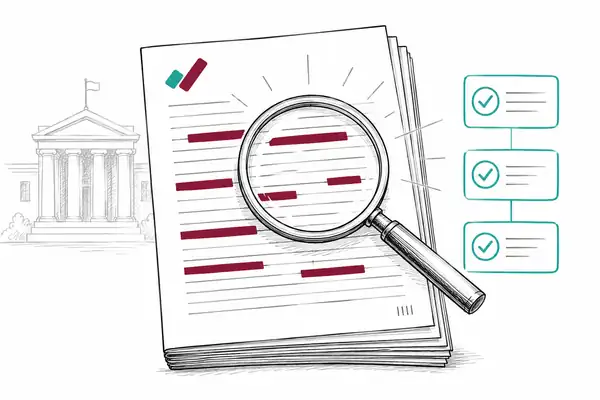
How it works
1. Open your document
Load any PDF, scan or image in your browser. Nothing is uploaded - it stays on your device.
2. Detect the personal data
On-device AI finds 60+ types of personally identifiable information automatically - names, addresses, IDs and more.
3. Redact and export
Apply permanent pixel-burn redaction - the text is destroyed, not just hidden - then export with an optional tamper-evident certificate.
Built for the work you actually do
Tight SAR deadlines and high volumes
Bulk process batches and let AI surface 60+ PII types, so you are not reading every line by hand.
Third-party personal data inside a SAR
Detect and redact names, contact details and identifiers across the bundle before disclosure.
Evidencing what you redacted and when
A full audit trail and exportable log records every redaction for your files.
Uploading personal data to a SaaS tool
Nothing is uploaded for standard detection and redaction. The work happens on your device.
The access request is where redaction goes wrong
A subject access request gives a person the right to a copy of their own personal data, but you have to remove everyone else’s personal data, and anything exempt, before you send it. Get that wrong and the response itself becomes a personal data breach. The ICO’s guidance on disclosing documents to the public securely is built around exactly this risk: hidden or inadequately removed personal information that causes an accidental breach.
It is not a rare problem. Subject access is consistently one of the most-complained-about areas to the ICO, and the regulator has issued reprimands to organisations that missed the deadline or mishandled a request. The right of access is a high-volume obligation that has to be met correctly, not just quickly.
One month, and the clock does not stop for volume
Under Article 12 of the UK GDPR you have one calendar month from receipt to respond, extendable by a further two months only where the request is genuinely complex. The deadline does not flex because the bundle is large or full of third-party data to redact. That time pressure is what makes consistent, fast detection matter.
What to redact in a SAR
Third-party personal data. Names, contact details and identifiers of anyone other than the requester. A person can be identifiable without their name, so watch for job titles in small teams and specific dates that point to one individual.
Confidential references and sources. Information that would identify someone who provided a reference or raised a concern in confidence.
Exempt material. Legally privileged advice, management forecasting and other content that falls within a recognised exemption, applied narrowly and documented.
Redact without uploading, keep the audit trail
RedactProof detects 60+ types of personal data on your device, you confirm and redact, and it keeps a log of what was removed for your own records. The requester’s bundle never leaves your browser, so you are not uploading personal data to a third-party service in order to protect it.
Disclosure and litigation raise the same redaction problem with court-specific requirements. If your work crosses into that, see our redaction page for legal teams.
Common questions
Does RedactProof help with UK GDPR subject access requests?
Yes. It detects and redacts personal and special-category data, keeps an audit trail, and exports professional copies, all without the file leaving your device.
Can I keep a record of what was redacted?
Yes. Pro includes a full audit trail and an exportable redaction log.
Where are the documents processed?
In your browser. Standard detection and all redaction are client-side; only the optional Precision Engine sends extracted text.
What happens if we miss a piece of third-party data in a SAR?
It is a personal data breach. The ICO’s guidance on disclosing documents securely treats inadequately removed personal information as an accidental breach, reportable within 72 hours where it poses a risk. Consistent automated detection plus a human review is how you avoid the miss.
How your files are processed
PDFs are opened, rendered, and redacted entirely in your browser. Files are never uploaded.
Only cryptographic hashes and certificate metadata are stored - for tamper-evident verification.
Extracted text (not files) is routed through Cloudflare for enhanced detection. Processed in memory, never stored.
Start your next SAR free
Load the bundle, redact in your browser, export a clean copy. No upload.