
SAR redaction software for UK GDPR subject access requests
A subject access request turns a folder of everyday documents into a disclosure exercise with a one-month deadline. This page is about the software side of that: what the job demands of a redaction tool, why it matters where your bundle gets processed, and how RedactProof is set up for it.
By RedactProof Editorial Team · 30 Mar 2026 · Updated 6 Sept 2026 · 5 min read
It is written for data protection officers, HR and compliance teams, and the consultancies that handle SARs and DSARs for clients. If you need the law and the process first, start with our guide to redacting documents for SAR, DSAR and FOI disclosure, then come back here.
What a SAR actually asks of a redaction tool
Most PDF editors were built to black out a paragraph in a contract. A SAR response is a different kind of job: a few hundred pages of emails, HR notes and case files, everyone else's details to come out, every withholding to be justified, and one calendar month to do it in. A tool has to hold up on five counts.
| The job | Why it is hard by hand | What to look for |
|---|---|---|
| Find every third party | A name on page 140 is as much a breach as one on page 1 | Automatic detection across the whole bundle, reviewed by a person |
| Keep the requester's own data in | Their manager's comments about them are their personal data | Approve or reject each detected item, not blanket find-and-remove |
| Record why each thing was withheld | The ICO will ask, and so will the requester's solicitor | An exemption code on every redaction, exported as a log |
| Make it permanent | A black box drawn in a viewer peels off in another one | Pixel-burn export that destroys the text, checked before download |
| Not create a new disclosure | Uploading the bundle to a vendor is itself a transfer of personal data | Processing on your own device, inside your own network |
Where the bundle goes matters as much as the black boxes
The last row is the one most teams skip. A SAR bundle is the most concentrated personal data your organisation holds about one person and everyone around them. Sending it to a cloud redaction service means a new processor, a data processing agreement, a transfer assessment if their servers are outside the UK, and a line in your RoPA. For a consultancy handling requests on behalf of clients, it also means asking each client's permission to put their data on a third party's server.
On-device processing removes that question. The bundle opens in a browser tab, detection runs on the machine in front of you, and the redacted copy is saved back to your own file system. Nothing about the requester or the third parties leaves your network. That is why a trial can start the same afternoon: there is no procurement questionnaire to fill in before the first document, because no data goes anywhere.
The SAR bundle is uploaded to the vendor's servers before anything is redacted
The bundle stays in your browser; detection and redaction happen on your device
How RedactProof is set up for SAR work
The editor has a settings profile called SAR / FOI response. Choosing it turns on the things a disclosure needs and leaves the rest alone: an exemption code required on every withholding, a per-redaction certificate table in the export, and a block on exporting while any redaction is still unattributed. You can change any of it, but the defaults are the ones a DPO would pick.
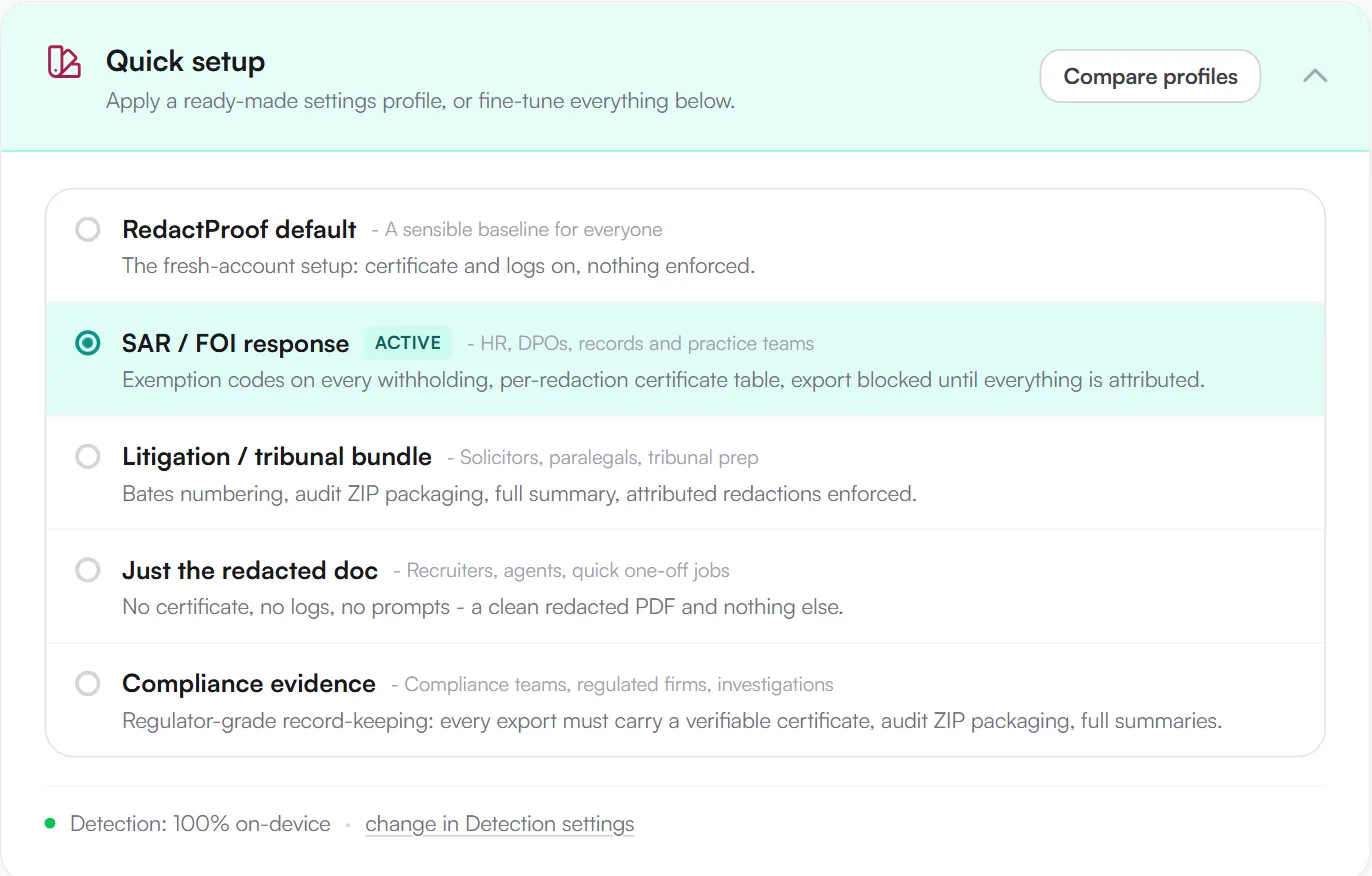
Exemption codes on every redaction. The code list follows the UK DPA 2018 schedules for subject access (third-party data, legal privilege, management forecasting, negotiations, and so on), with separate lists for FOI, EU GDPR and other jurisdictions. Each redaction carries one, so the balancing test is recorded item by item rather than reconstructed afterwards. Teams can add their own codes and share them across the organisation.
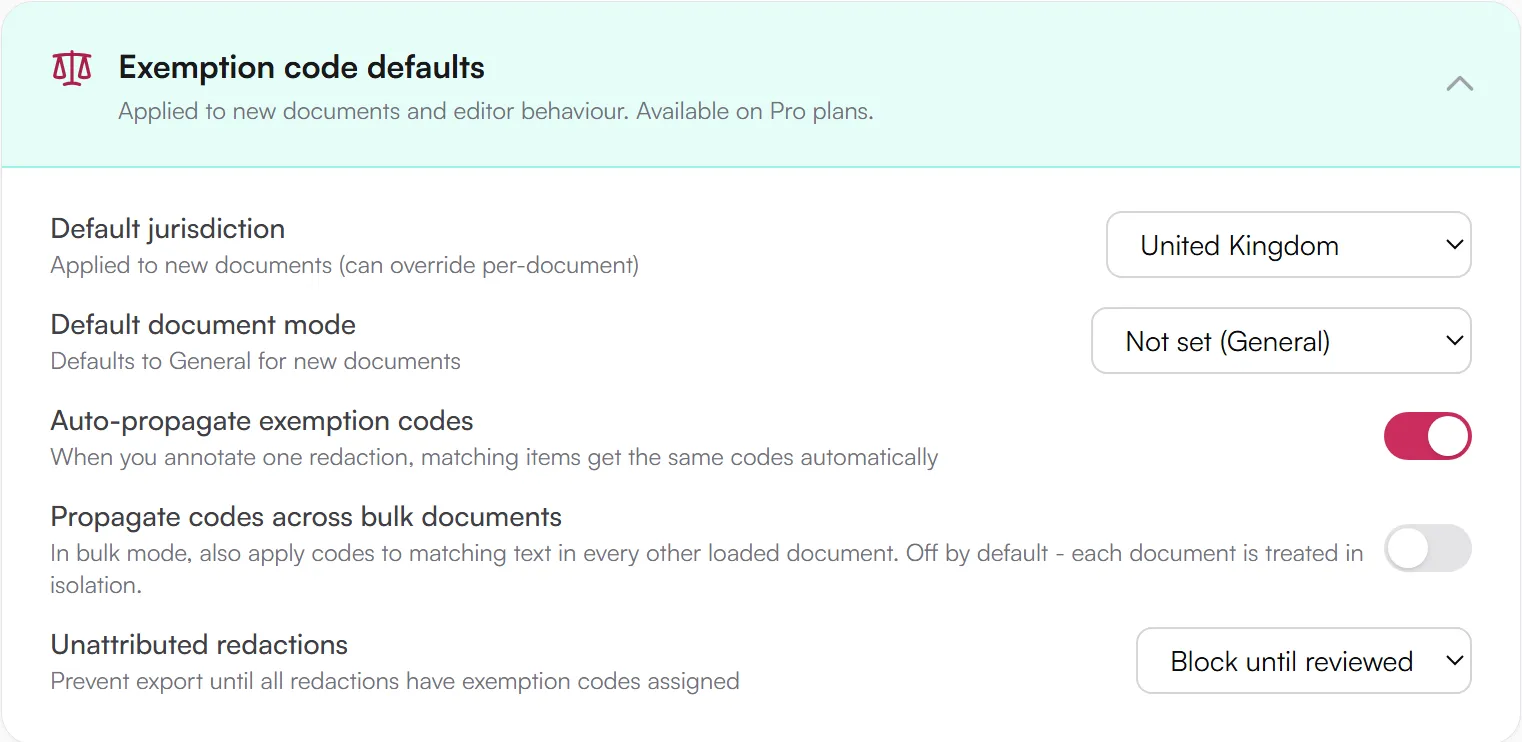
Detection across the bundle. On-device detection flags 60+ types of personal data: names, addresses, NI numbers, dates of birth, email addresses, phone numbers, account and reference numbers, and the health and financial identifiers that appear in HR and case files. Scanned letters go through OCR first. Approve a name once and it is caught across every document in the session; see how bulk redaction works.
A second pair of eyes. The approvals workflow lets one person prepare the redactions and another sign them off before export, which is the process the ICO's disclosure guidance describes and the one most organisations write into their redaction policy but struggle to enforce. Team administrators can make certificates, export records and exemption codes mandatory for everyone, so the policy is applied by the software rather than remembered by the person.
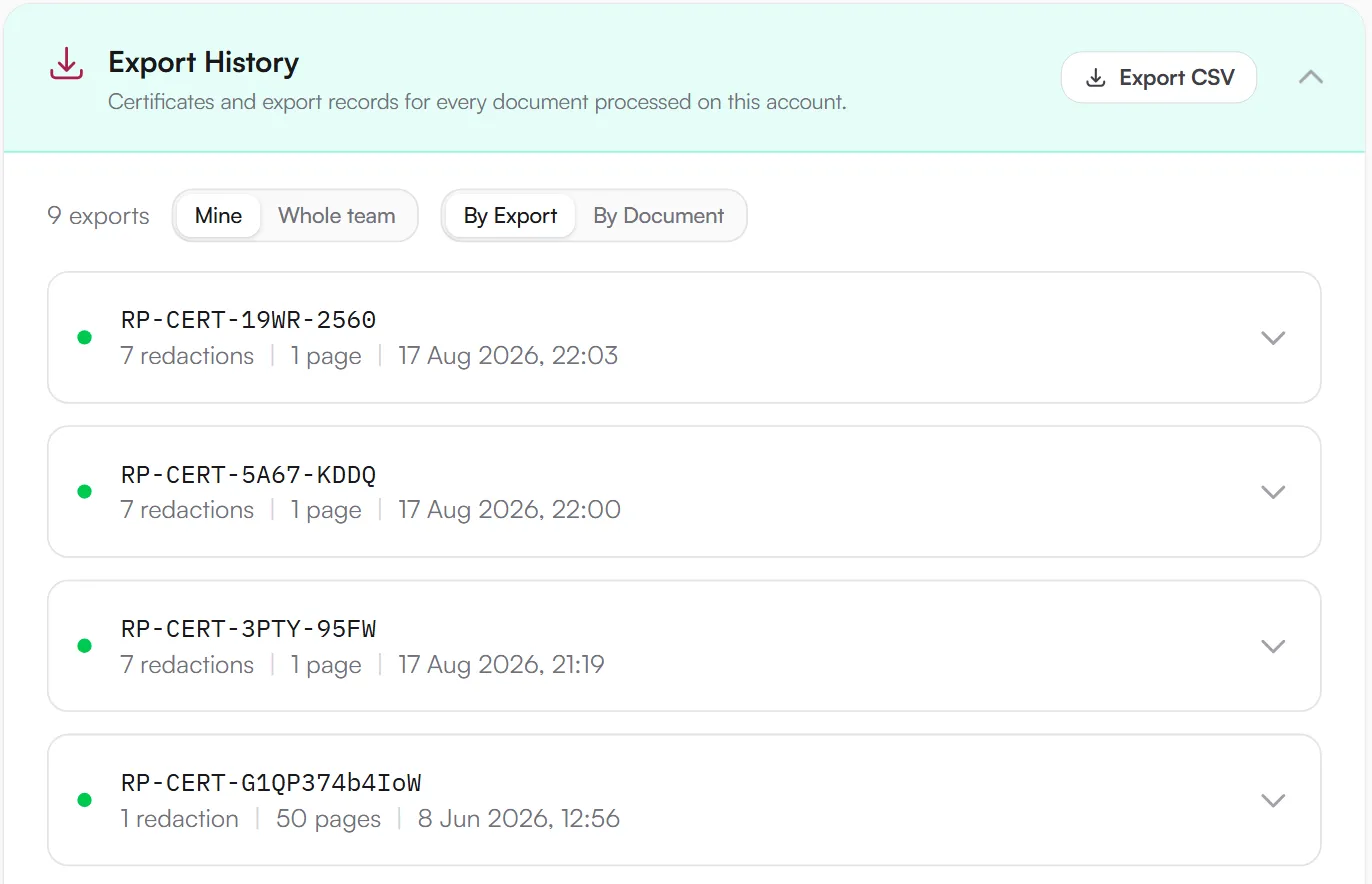
The redaction log. Every export is recorded in the account's export history with the document's one-way hash, the time, the person and the exemption codes used, and the whole history exports to CSV. That is the internal log the ICO expects you to be able to produce; it never forms part of the bundle you send.
Evidence if the response is challenged
Requesters do challenge responses, usually months later, and usually with the claim that something was removed after the fact. Each Pro export carries a verification certificate: a signed record of the exact file that was produced and when. The requester, their solicitor or the ICO can check it without an account and without trusting you. It does not say the redaction decisions were right, only that the document they hold is the one you produced.
Plans and pricing
Core is an individual annual licence at £190 a year: on-device detection, professional exports and OCR, unlimited documents. Pro is priced per seat from £79 a month and adds the pieces above that make it a SAR tool rather than a redaction tool: exemption codes, approvals, the export history and verification certificates. Occasional requests can use Flex Packs from £19 for five documents, no subscription. Core and Pro come with a 14-day money-back guarantee. Compare plans.
Try it free
See it on one of your own SAR documents
Every account starts with one source document free, with the full Pro feature set and unlimited re-exports of that document. This opens the editor with the SAR / FOI response profile already applied, so your first run shows exemption codes, the export block and the certificate as a SAR team would use them.
- Exemption code on every redaction
- Export blocked until all are attributed
- Redaction log and certificate on
No card. Processed in your browser; nothing is uploaded.
Compared with a general PDF editor
Most teams start in Acrobat, and for a ten-page contract it is fine. For a SAR it has no detection, no cross-document approvals, no exemption codes and no log, so a missed name on page 140 of 200 is on you. We have written up the differences, including where the other tools are the better choice: RedactProof vs Adobe Acrobat, vs Redactable, and a roundup of 19 redaction tools.
Learn how to do it
The software is the easy part. The guides cover the judgement calls: how to redact a SAR, DSAR or FOI response (deadlines, exemptions, when third-party data can stay in), SARs from employees and ex-employees, and a redaction policy template for the process around it. Compliance teams handling audits and investigations as well as SARs have their own page.
DisclaimerThis guide is for informational purposes only and does not constitute legal, medical, or professional advice. Consult a qualified professional for advice specific to your situation.
Frequently Asked Questions
Does RedactProof upload SAR documents to the cloud?
No. Your documents and their text never leave your device, on every plan. There is no cloud mode. Files are opened, rendered, and redacted locally on your device, so SAR documents are not uploaded to our servers.
Can recipients reverse or bypass RedactProof redactions?
RedactProof uses pixel-burn redaction. Each page is rendered to an image and redaction areas are burned into the pixels before a new PDF is created. The original text is destroyed, so it cannot be recovered by removing annotations, copying hidden text, or using PDF inspection tools.
How does RedactProof help with SAR deadlines and large document sets?
For large SARs, RedactProof offers AI-powered PII detection and bulk processing. You can load multiple PDFs, run detection across the entire bundle, review suggested redactions, and export everything in one go. This reduces manual review time and helps you stay within typical 30-day SAR deadlines.
What evidence does RedactProof provide if a SAR response is challenged?
Paid plans include a tamper-evident verification certificate with each export. The certificate contains an Ed25519 digital signature and SHA-256 hash of the redacted file. Anyone can use this to confirm that the document has not been modified since export, supporting your audit trail if a SAR response is disputed.
Redact with confidence
RedactProof detects PII across your documents without uploading them. Start with a free account.