
Redact disclosure and court bundles without uploading a single file
RedactProof runs entirely in your browser. Detect and black out client data across PDFs and scans, add Bates numbering and a CSV log, and export with a tamper-evident certificate.
No upload. No install. Free to start.
How it works
1. Open your document
Load any PDF, scan or image in your browser. Nothing is uploaded - it stays on your device.
2. Detect the personal data
On-device AI finds 60+ types of personally identifiable information automatically - names, addresses, IDs and more.
3. Redact and export
Apply permanent pixel-burn redaction - the text is destroyed, not just hidden - then export with an optional tamper-evident certificate.
Built for the work you actually do
Black boxes that aren't really redacted
Pixel-burn destroys the text underneath rather than covering it. What you redact is gone, not copyable or recoverable.
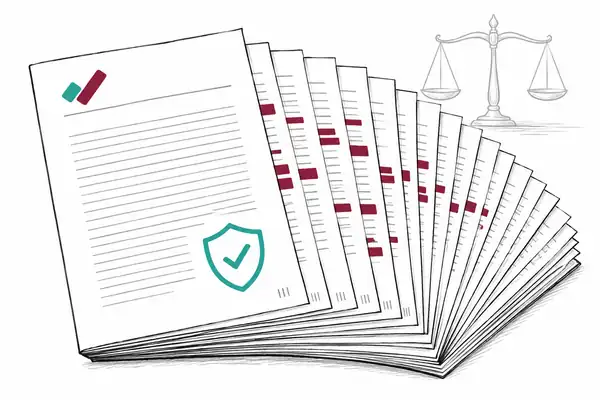
Disclosure bundles running to hundreds of pages
Bulk process up to 20 documents per batch, with Bates numbering and a CSV redaction log ready for the court.
Proving nothing was altered after redaction
Every export can carry an Ed25519-signed certificate. Recipients verify integrity by scanning a QR code, no account needed.
Sensitive files sitting on someone else's server
Documents never leave your device for standard detection and all redaction. Nothing is uploaded.
A black box is not a redaction
The most common redaction mistake is also the most dangerous: drawing a black rectangle over text instead of removing it. The text underneath survives, and anyone can recover it by copying and pasting, or by stripping the overlay. Guidance from the US National Security Agency puts it plainly: information that is merely hidden or covered in a document can almost always be recovered, so it has to be removed, not just concealed.
A 2022 study, Story Beyond the Eye: Glyph Positions Break PDF Text Redaction, went further. The researchers tested 11 popular redaction tools, including Adobe Acrobat, and showed that even tools that delete the text often leak the position of every character, enough to reconstruct redacted names. They de-redacted hundreds of real-world redactions in published investigation reports and freedom-of-information responses. In disclosure, that is the difference between a compliant production and a data breach sitting inside the bundle.
What pixel-burn does differently
RedactProof does not draw over the text. It rasterises the affected region and burns the redaction into the page, destroying the underlying characters and the spacing between them. The redacted content cannot be copied, searched, or reconstructed from glyph positions. What you redact is gone, not hidden.
Scoping a disclosure bundle
Before anything leaves the firm, every responsive document has to be reviewed for what must come out. The National Archives Redaction Toolkit, written for freedom-of-information and data-protection work, sets a basic rule worth borrowing for litigation: always redact a copy and leave the original intact, so you can justify each decision later.
Third-party personal data. Names, addresses and identifiers of anyone who is not your client, including witnesses, opposing parties and people mentioned in passing.
Privileged material. Legal advice and litigation-privileged communications that have crept into otherwise disclosable documents.
Irrelevant sensitive content. Medical, financial or special-category data that is not relevant to the issues and should not be in the bundle at all.
Bates numbering, logs and proof of integrity
For a court-ready production, RedactProof adds Bates numbering and a CSV log of every redaction, and can attach a tamper-evident, Ed25519-signed certificate. The receiving side scans a QR code to confirm the file has not been altered since you exported it, without needing an account or the original tool.
Subject access requests raise the same redaction problem on a tighter clock. If your team also handles those, see our redaction page for compliance teams.
How RedactProof compares
RedactProof vs Adobe Acrobat on what matters for secure redaction.
| Feature | Adobe Acrobat | RedactProof |
|---|---|---|
| Browser-Based (No Install) | Desktop app (Windows/macOS). Web app does not include redaction tools. | Yes - works in any modern browser, no installation |
| Files Stay on Device | Desktop app: local processing. Web app: uploads to Adobe servers (AES-256 encrypted). | Yes - documents never leave your browser |
| AI PII Detection | No AI detection. Manual selection and regex pattern search (SSN, email, phone, dates). No contextual PII identification. | 60+ PII types detected automatically with confidence scoring |
| Verification Certificates | No tamper-evident redaction certificates. Separate e-Sign product has audit trails for signatures. | Ed25519 digital signatures with QR verification codes |
| Pricing | Standard £14.99/mo (US$14.99) - no redaction. Pro £19.97/mo (US$19.99) annual billed monthly. No free tier. | From Free. Core US$25/mo, Pro US$99/mo. |
Pricing accurate as of May 2026
Common questions
Is pixel-burn redaction safe for court disclosure?
Yes. RedactProof removes the underlying text at the pixel level, so redacted content cannot be copied, searched or recovered from the exported file.
Can I add Bates numbering?
Yes. The legal discovery export adds Bates numbering and a CSV log of every redaction, suitable for disclosure and litigation.
Do my files get uploaded?
No. Standard detection and all redaction happen in your browser. The optional Precision Engine sends extracted text only, never the file.
Why is drawing a black box over text not enough?
Because the text underneath is still there. NSA guidance and a 2022 study, Story Beyond the Eye, both show that covered or even deleted text can be recovered from PDFs, including from the position of each character. Pixel-burn destroys the text rather than hiding it.
How your files are processed
PDFs are opened, rendered, and redacted entirely in your browser. Files are never uploaded.
Only cryptographic hashes and certificate metadata are stored - for tamper-evident verification.
Extracted text (not files) is routed through Cloudflare for enhanced detection. Processed in memory, never stored.
Redact your first bundle free
No install, no upload. Load a PDF and start redacting in seconds.