
Redaction verification certificates
If someone questions whether a redacted document has been modified after export, you need tamper evidence. RedactProof generates Ed25519 digital signatures and SHA-256 hashes for every export, giving recipients a way to independently check document integrity.
By RedactProof Editorial Team · Mar 30, 2026
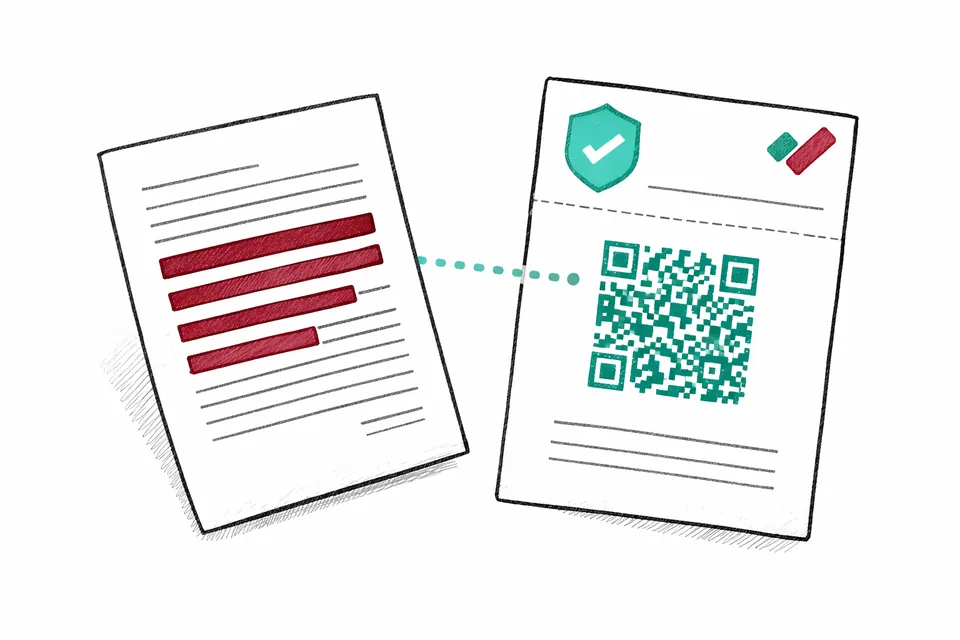
What a verification certificate is
When you export a redacted document from RedactProof, a verification certificate is automatically generated for paid plans. The certificate contains a cryptographic fingerprint of your redacted file - a SHA-256 hash that uniquely identifies the exact contents of the document at the moment of export.
The certificate also includes an Ed25519 digital signature created with RedactProof's private key. Together, the hash and signature allow anyone to confirm two things: that the document has not been modified since redaction, and that it was genuinely produced by RedactProof.
Certificates are attached as the first or last page of the exported PDF and include a scannable QR code for quick verification.
How verification works
Recipients can verify a redacted document in three ways:
- QR code scan - Scan the QR code on the certificate page. This opens the verification portal with the certificate pre-loaded.
- File upload - Drop the redacted PDF into the verification portal. RedactProof recalculates the SHA-256 hash and checks it against the stored certificate.
- Certificate ID lookup - Enter the certificate ID (e.g. RP-CERT-abc123) directly into the verification portal.
Verification is instant and free. Recipients do not need a RedactProof account.
What a valid certificate indicates
A valid verification confirms:
- The document has not been altered since redaction - not a single byte has changed
- The redaction was performed using RedactProof
- The timestamp of when the redaction was exported
- The number of entities that were redacted
- Who certified the document (email or reference ID)
What certificates do not cover
Verification certificates confirm integrity, not completeness:
- Confirm that all sensitive information was found and redacted
- Confirm that the correct redaction categories were applied
- Confirm that the original document was authentic
The certificate provides tamper evidence for the redacted output - if it has been modified after export, verification will detect it. The quality of redaction itself depends on the detection settings and review process used before export.
Recipient instructions
If you are sharing redacted documents with third parties, you can include these instructions:
- Open the redacted PDF and find the certificate page (first or last page)
- Scan the QR code with your phone camera, or visit redactproof.com/verify
- Upload the PDF file or enter the certificate ID shown on the certificate page
- The portal will confirm whether the document is authentic and unmodified
No account or software installation is required to verify a certificate.
How certificates support compliance
For organizations handling subject access requests, disclosure bundles, or tribunal documents, verification certificates provide an auditable record that redactions have not been altered after the fact.
This is particularly relevant for:
- Subject access requests - Demonstrate that the redacted version provided to the data subject has not been modified since preparation. See our SAR redaction guide for workflow details.
- Legal disclosure - Provide opposing counsel with cryptographic evidence that redacted documents are authentic and unmodified.
- Regulatory submissions - Include certificates alongside redacted documents to demonstrate chain of custody.
- Internal audit - Maintain a verifiable record of when documents were redacted and by whom.
Technical details
- Hash algorithm: SHA-256 applied to the complete redacted PDF file
- Signature algorithm: Ed25519 (Curve25519) digital signatures
- Certificate storage: Hash and metadata stored server-side; original document content is never uploaded
- Retention: Certificates are retained until account deletion
- Verification: Free, instant, no account required
For more on RedactProof's security architecture, see our security page. For export options and certificate placement, see the exports documentation.
Plans that include certificates
Verification certificates are included on Core, Pro, and Team plans. Free tier exports do not include certificates.
See our plan comparison for a full feature breakdown.
Frequently Asked Questions
Do recipients need a RedactProof account to verify a certificate?
No. Verification is free, instant, and does not require a RedactProof account. Recipients can scan the QR code, upload the PDF, or enter the certificate ID in the verification portal.
What happens if the document is modified after export?
Any change to the exported PDF, even a single byte, will change its SHA-256 hash. When the modified file is uploaded, the verification portal will detect the mismatch and mark the certificate as invalid.
Does a valid certificate mean all sensitive data was correctly redacted?
No. A valid certificate provides evidence of integrity and authenticity of the redacted output, not the completeness or correctness of the redaction. Effective redaction still depends on your detection settings and human review before export.
Which plans include verification certificates?
Verification certificates are included on Core, Pro, and Team plans. Exports from the free tier do not include certificates.
Try it yourself
Put this into practice with RedactProof. Free account, no installation needed.