
Secure Document Disclosure: How to Release Files Without Leaking Data
A municipal government publishes 200 pages of planning documents on its website after redacting the objectors' names and addresses. Within hours, a member of the public discovers that selecting the black boxes and pasting into a text editor reveals every name underneath. The authority has to pull the documents, notify the FTC, and contact every affected individual. The redaction looked right. The disclosure process was wrong.
By RedactProof Editorial Team · Feb 25, 2026 · 7 min read
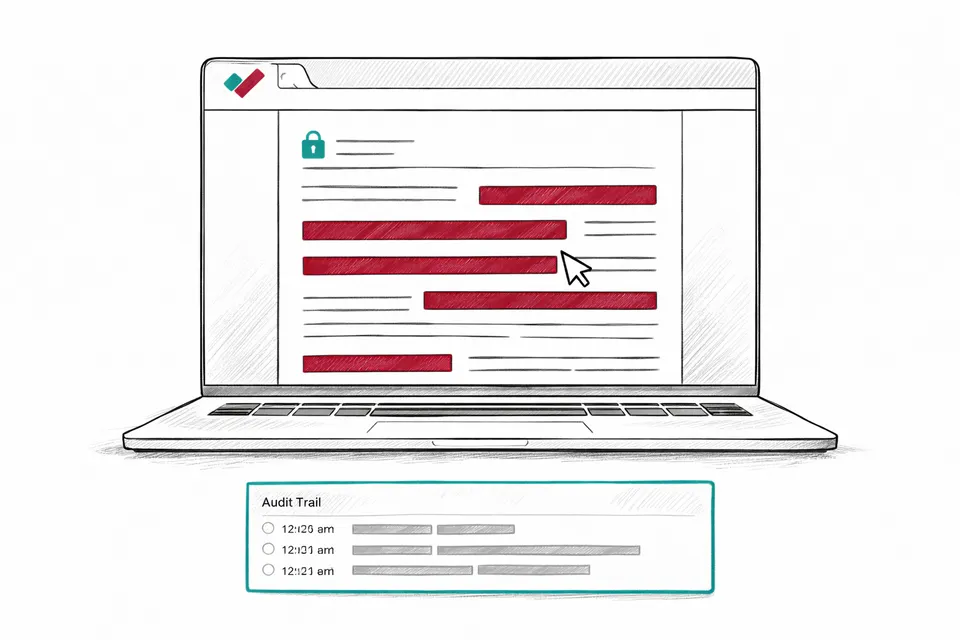
Redaction is only half the job
Most guidance on document redaction focuses on identifying what to remove. Fewer resources address the equally important question of how to prepare a document for safe release once the redaction itself is done. A document can be perfectly redacted - every sensitive detail correctly identified and marked - and still leak data through metadata, hidden layers, revision history, or a redaction method that does not actually destroy the underlying text.
This guide covers the full disclosure preparation process. It assumes you have already identified what needs redacting. The focus is on making the output safe to release.
Choose an irreversible redaction method
Not all redaction techniques actually remove data. The distinction between overlay and pixel-burn redaction is the single most important technical decision in the entire disclosure process.
Overlay redaction draws a visual element - typically a black rectangle - over the text in the PDF. The original text remains in the file's content stream. Anyone with a PDF editor, a text extraction tool, or even the copy-paste function in some PDF readers can recover the hidden content. This method is not redaction. It is decoration.
Pixel-burn redaction renders each page as a raster image, applies solid fills over the redacted areas, and re-embeds the result. The original text layer is destroyed in the process. There is no underlying content to recover because the text no longer exists - the page is now a flat image with opaque rectangles where the redacted content was.
Every data breach involving failed redaction that has made the news involved overlay-style methods. The US Transportation Security Administration leaked its airport screening procedures in 2009 through overlay redaction. A city government exposed domestic abuse victims' addresses the same way. The Paul Manafort legal team accidentally disclosed grand jury secrets because their PDF redaction was cosmetic. The fix in every case was the same: the redaction should have been pixel-burn from the start.
Strip document metadata
PDF files carry metadata that most users never see. This metadata can reveal personal information that survives even thorough visible-content redaction.
Document properties include author name, organization name, creation date, modification dates, and the software used to create the file. A document created in Microsoft Word and saved as PDF typically carries the author's name from their Office profile. If the document was redacted by a different person, the metadata may reveal both the original author and the person who performed the redaction.
Revision history and tracked changes. Documents converted from Word to PDF can retain tracked changes, comments, and editing history. An attorney's comments on a draft contract, a manager's notes on a grievance letter, or redlined amendments to a policy document - all of these can survive the conversion to PDF and remain accessible to anyone who opens the file's metadata.
Embedded fonts and font subsets. Some PDF files embed the full font used in the document, including glyphs for characters that appear in redacted sections. In rare cases, this can allow partial reconstruction of redacted text by examining which characters the font subset contains.
Pixel-burn redaction largely eliminates these concerns because the output is a rasterized image with new metadata. But if your workflow involves any pre-processing steps before the final burn - adding annotations, adjusting layout, converting formats - check the intermediate files for metadata leakage at each stage.
Check for hidden layers and embedded objects
PDF is a container format. A single PDF can hold multiple layers of content, embedded files, JavaScript, form fields with stored data, and linked external resources. Redacting visible text addresses only one layer.
Optional Content Groups (OCG) allow PDF creators to define layers that can be toggled on and off. A document might have a "confidential" layer hidden by default that contains sensitive annotations or alternative text. If the redaction tool only processes visible layers, hidden OCG layers pass through untouched.
Form fields in fillable PDFs store their values separately from the visual rendering. A redaction that covers the visible display of a form field does not necessarily remove the stored value. Someone opening the file with a form-aware PDF reader might see the original data in the field properties.
Embedded attachments. PDFs can contain attached files - spreadsheets, images, other PDFs - that exist as separate objects within the container. These attachments may contain personal data that the main document's redaction does not touch.
Again, pixel-burn redaction mitigates most of these risks by flattening the document into page images. Layers, form fields, and embedded objects are destroyed in the rasterization process. But verify the output - open it in a PDF editor after redaction and confirm that no hidden content survives.
Verify before you release
Verification is not optional. Every document should be checked after redaction and before disclosure. The check takes minutes. The consequences of skipping it can take months to resolve.
Open the redacted file in a different application from the one used to create it. If you redacted in one PDF tool, verify in another. Try selecting text in and around the redacted areas - if you can highlight or copy any of the redacted content, the redaction has failed.
Search the full text of the document for known redacted terms. If you redacted a person's name, search for it. Search for fragments - surname alone, first name alone, email domain. Automated search catches instances that visual scanning misses, particularly in headers, footers, and cross-references that repeat across dozens of pages.
Check the file properties. Author name, creation date, modification history, comments - strip everything that is not required for the disclosure. A clean document has no metadata that identifies the individuals involved in its creation or redaction.
Generate a tamper-evident verification certificate. This creates a cryptographic record that the document was redacted and has not been modified since. If anyone later questions whether the disclosed document is the authentic redacted version, the certificate provides verifiable confirmation. RedactProof generates these automatically - each certificate includes an Ed25519 digital signature and a QR code for offline verification.
Secure the disclosure channel
A properly redacted document sent via an insecure channel still presents risk. Not data leakage from the document itself, but interception or misdirection of the file in transit.
Email is the default disclosure method for most organizations and the most common source of misdirected disclosures. Sending to the wrong recipient, cc'ing instead of bcc'ing, or attaching the unredacted version instead of the redacted one - these are human errors that no redaction tool can prevent.
Where possible, use a secure file-sharing platform that allows you to set access controls, expiry dates, and download limits. Confirm the recipient's identity before sharing access. For large disclosure exercises - FOIA responses involving hundreds of pages, or litigation bundles - a secure portal with audit logging is preferable to email attachments.
Name your files clearly. "Planning_Application_2024_0847_REDACTED.pdf" leaves no ambiguity. "Document_v3_final_FINAL.pdf" invites confusion about which version is the redacted one.
A disclosure preparation checklist
Before releasing any redacted document:
- Confirm the redaction method permanently destroys underlying data (pixel-burn, not overlay)
- Verify redacted content cannot be selected, copied, or searched in the output file
- Strip document metadata (author, creation date, revision history, comments)
- Check for hidden layers, embedded attachments, and form field data
- Search the output for known redacted terms (names, reference numbers, email addresses)
- Generate a tamper-evident verification certificate for the redacted version
- Name the output file clearly with REDACTED in the filename
- Send via a secure channel with confirmed recipient identity
- Retain the original unredacted document and a record of what was redacted and why
Frequently Asked Questions
How can I tell if my PDF redaction actually removed the data?
Open the redacted PDF in a different application from the one used to create it. Try selecting text in and around the blacked-out areas. If you can highlight, copy, or search for the supposedly redacted content, the data is still there. Pixel-burn redaction eliminates this risk entirely because the text layer is destroyed during the rasterization process - there is nothing left to select or copy.
Does converting a Word document to PDF remove tracked changes and comments?
Not reliably. Some conversion methods preserve tracked changes, comments, and revision metadata in the PDF output. Always check the resulting PDF for hidden content - open the document properties, look for annotations, and search for any text that should have been removed. The safest approach is to accept all changes and delete all comments in Word before converting, then verify the PDF output is clean.
Is it safe to disclose redacted documents by email?
Email is the most common disclosure method but also the most common source of accidental disclosure - wrong recipient, wrong attachment, cc instead of bcc. For routine disclosures, email with the redacted document attached is acceptable provided you double-check the recipient and attachment before sending. For sensitive or large-scale disclosures, a secure file-sharing platform with access controls and audit logging provides better protection against human error.
What is a tamper-evident verification certificate?
A tamper-evident verification certificate is a cryptographic record generated at the point of redaction. It includes a digital signature (typically Ed25519) that is tied to the specific document content. If even a single byte of the redacted document is changed after the certificate is generated, verification will fail. This provides an auditable chain of evidence that the document is the authentic redacted version and has not been modified since processing. RedactProof generates these automatically with QR codes for offline verification.
Try it yourself
Put this into practice with RedactProof. Free account, no installation needed.