
Secure Document Redaction for Journalists: Protecting Sources
When a document leaves your device for a third-party server, it creates a chain of custody you cannot control. For journalists working with source-sensitive materials, the architecture of your redaction tool is as important as the redaction itself.
By RedactProof Editorial Team · 1 May 2026 · Updated 10 May 2026 · 12 min read
This guide is educational. For high-risk source protection, work with an editor experienced in operational security and consider a formal threat model. Redaction is one layer of source protection, not the whole.
In June 2017, a 25-year-old NSA contractor named Reality Winner was arrested. The document she had printed and posted to The Intercept - a classified report on Russian interference in the 2016 US election - contained something she did not know was there: a pattern of nearly invisible yellow dots printed by the office Xerox machine, encoding the printer's serial number and the exact time of printing. The Intercept had photographed the document and published those images. The FBI decoded the dots within days.
She was sentenced to five years and three months in federal prison - the longest sentence ever handed to a US government employee for leaking classified information to a journalist.
Her case is not primarily a story about document redaction. But it is a precise illustration of a problem that affects every journalist working with sensitive documents: a file can carry evidence of its origin long after the text has been read, and that evidence may not be visible to the eye.
Why cloud-based redaction cannot be used for source-sensitive documents
Most mainstream redaction tools work by uploading your document to a remote server, processing it there, and returning a redacted version. Adobe Acrobat's online tools, Redactable, and similar services all operate on this model. For routine commercial document workflows, this is a reasonable trade-off.
For documents that could expose a source, it is not.
The moment a leaked document, a whistleblower submission, or a confidential communication leaves your device and travels to a third-party server, you have introduced a chain of custody that exists outside your control. Server logs record IP addresses and timestamps. Request metadata persists. Cloud providers may be subject to legal process - subpoenas, national security letters, production orders - in jurisdictions you are not aware of and cannot monitor. Even if the service has strong privacy policies, those policies are subordinate to the laws of the jurisdictions in which servers operate.
The only architecture that genuinely eliminates server-side exposure is one where the file never leaves the device in the first place. RedactProof processes documents entirely in your browser - the file does not travel to any server. The standard detection engine runs locally. Tamper-evident verification certificates use only a cryptographic hash, not the document itself. This is the architectural difference that matters for source protection.
What the cases actually show
The Reality Winner case is the clearest modern example of printer metadata exposure. Xerox DocuColor printers and others have printed Machine Identification Codes - patterns of tiny yellow dots, nearly invisible to the naked eye - since at least 2004. The dots encode the printer's serial number and the date and time of printing. Winner's document was printed on 9 May 2017 at 06:20. The NSA logs all print jobs. The combination identified her within a narrow group of six people who had accessed the document, then to her specifically.
The lesson is not specific to government printing. Any printer that uses this tracking system - and many consumer and office printers do - embeds this data by default. A journalist receiving a physically printed document, or a source printing documents to hand over, should know this risk exists.
Paul Manafort's lawyers, 2019. In January 2019, attorneys for the former Trump campaign chairman filed court documents in the Mueller investigation with redactions applied as black highlight overlays in Microsoft Word. A Guardian reporter discovered that copying and pasting the blacked-out text into a new document restored it in full. The exposed passages revealed that Manafort had shared internal Trump campaign polling data with a person the FBI believed to be connected to Russian intelligence, and had discussed a proposed Ukraine peace plan - facts he had previously denied.
This is the overlay redaction failure in its most documented form. Overlay redaction places a visible element over the text. The text itself remains intact in the document's data layer. Pixel-burn redaction converts the page to a flat image, permanently destroying the underlying text. The difference is not cosmetic - one method fails, the other does not.
The Pentagon Papers era and document metadata. Daniel Ellsberg's 1971 disclosure of the Pentagon Papers to the New York Times and Washington Post predates digital metadata. But the case established something that still holds: documents carry evidence of their origin beyond their visible content. Ellsberg was identified through the copying process itself - the RAND Corporation tracked photocopier usage logs. The mechanism differs from modern metadata, but the principle is identical: document-handling leaves traces.
Modern digital documents extend this problem significantly. A Word file contains author name, organisation, revision history, and sometimes tracked changes that were accepted but remain in the file's XML. A PDF may carry the creating software name, the author, embedded fonts with version identifiers, and hidden text layers from OCR. Image files carry EXIF data: GPS coordinates, camera model, date and time, device serial number.
Metadata: the record you cannot see
PDF metadata sits in the document's XMP and DocInfo dictionaries. Open a PDF in a text editor and you will find fields including Author, Creator (the application that created it), Producer (the application that converted it to PDF), CreationDate, and ModDate. An internally produced government document might carry the creating user's Active Directory name, the department, and the software version. None of this is visible when the document is opened normally. All of it is recoverable.
Word documents (.docx) are ZIP archives containing XML files. The core.xml file stores author, last modified by, creation date, and revision count. Tracked changes - even if accepted and no longer visible in the document - remain in the XML until explicitly purged. Comments, including deleted comments, may persist. If a source has annotated a document internally before providing it, those annotations can survive a naive "save as PDF" export.
EXIF data on photographs is a particular risk for photojournalists and for sources who photograph documents rather than scan them. iPhone and Android cameras embed GPS coordinates by default unless location services are disabled for the camera app. A photograph taken inside a specific building, showing a document on a desk, may contain the precise latitude and longitude of the desk. The camera model and serial number are also typically recorded.
Stripping this metadata before publication requires deliberate action. Exporting a PDF from Word with "Remove personal information from file properties on save" checked does not strip all metadata. Converting to PDF via a print-to-PDF driver removes more than a direct save but is not exhaustive. Specialised tools exist for full metadata removal, and any journalist working with sensitive documents should have a workflow that includes this step explicitly.
RedactProof processes the document content for PII detection and redaction. It does not strip all file-level metadata from arbitrary input formats - this is a separate step in the workflow. For source-sensitive documents, metadata removal should happen before the document is published or shared, and ideally before it is opened on a networked device.
What redaction can and cannot do
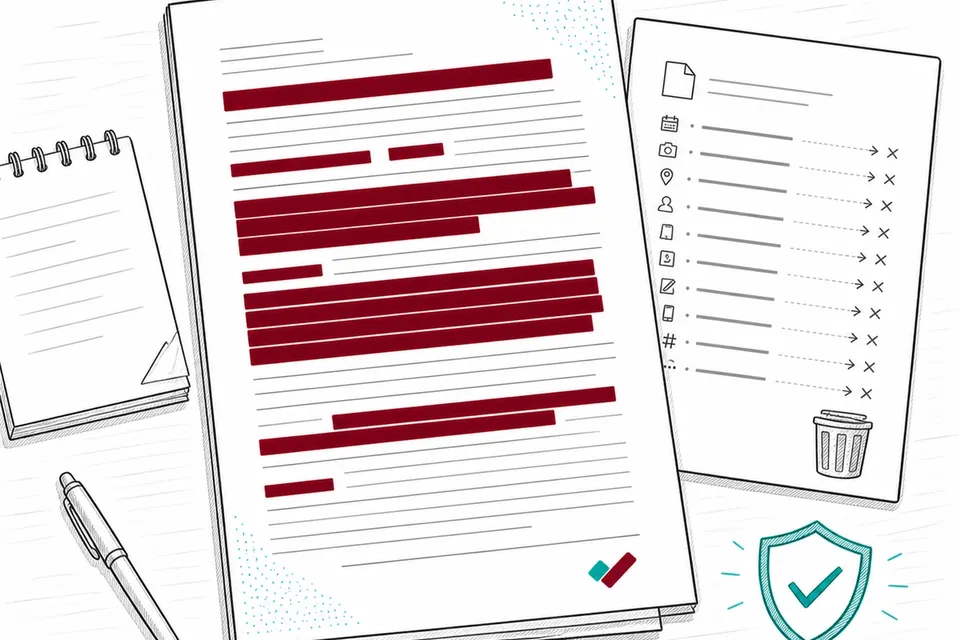
Redacting a document removes specified visible content. Done correctly - with pixel-burn rather than overlay, and with metadata stripped separately - it prevents the redacted information from being recovered from the file itself.
It does not address a broader category of risks that journalists and editors working on sensitive investigations need to consider separately.
Unique factual details are a related risk. A document describing an internal meeting, a specific decision, or an operational detail known only to a small group may identify its source simply by demonstrating that the source was present or had access. The redaction of names does not help if the document contains facts that only one person could know.
Document requests and access logs: In many organisations, accessing a classified or restricted document is itself logged. A source who retrieved a document, printed it, and posted it to a journalist may be identifiable from access logs even if the document itself reveals nothing about who handled it.
Network traffic and device metadata are outside the scope of document redaction entirely. A source who accessed a document on a corporate network, or who communicated with a journalist on a monitored device, has a different exposure profile that redaction does not address.
The responsible approach is to treat redaction as one control in a layered security posture - necessary but not sufficient. The Committee to Protect Journalists, the Freedom of the Press Foundation, and similar organisations publish operational security guidance for journalists and sources that covers the full picture. For high-stakes investigations, that guidance should be read before making contact.
FOIA documents: redaction before publication
When a journalist publishes documents obtained under the Freedom of Information Act 2000, the redaction concern is different from source protection. FOIA-released documents have already been processed by the disclosing authority - but that processing may be incomplete or incorrect.
Partial disclosures sometimes contain residual personal data that the releasing body should have removed. Third-party names, staff details, internal contact information, and incidental personal data are common oversights. Before publishing or distributing a FOIA-released document, a journalist or editor should review it against the standard redaction criteria for personal data: does the document contain information that could identify a private individual who has not consented to its publication?
FOIA-released documents may also contain third-party data that is technically within scope of release but that publication would treat unfairly. An internal report naming junior staff members in connection with a systemic failure, for example, may have been correctly disclosed under FOIA while still warranting editorial judgment about whether those names serve the public interest when published.
The Defamation Act 2013 and the data protection implications of publishing personal data are relevant here. GDPR's journalism exemption (under the Data Protection Act 2018) provides some latitude for processing personal data for journalistic purposes, but it does not eliminate the need for judgment about proportionality.
For US journalists, federal FOIA and state public records laws release documents that may similarly contain residual personal data. Before publishing, check whether private individuals - as distinct from public officials acting in their official capacity - appear in the documents, and whether their inclusion serves the public interest. The Reporters Committee for Freedom of the Press publishes practical FOIA guidance and state-by-state open records resources.
Working with leaked or whistleblower documents
The first handling of a leaked document matters. Opening a PDF on a standard computer does not, by itself, transmit the file - but subsequent actions can. Saving to a cloud-synced folder uploads it. Sharing via standard email routes it through servers and creates metadata. Forwarding a photograph taken on a mobile phone may retain EXIF data in the transmission.
Journalists working on investigations where source identity is a genuine risk are generally advised to use air-gapped devices (computers with no network connection) for initial document review. Tails OS, which boots from USB and leaves no trace on the host machine, is a commonly recommended platform for this purpose. SecureDrop, developed by the Freedom of the Press Foundation, provides a complete system for receiving documents from sources anonymously.
These are operational security measures that sit upstream of document redaction. Once the investigative work is done and the decision is made to publish, the redaction workflow applies: identify what in the document needs to be removed before publication, apply pixel-burn redaction, strip metadata separately, and verify the output before it leaves the secure environment.
One practical point on verification: after redacting a document intended for publication, open the output file in a second, different PDF viewer and attempt to select text in the redacted areas. Search the file for strings you know were removed - names, reference numbers, identifiers. If text is selectable or searchable in areas that should be blank, the redaction method used was overlay, not pixel-burn, and the document is not safe to publish.
Further reading
If you are new to redaction methods and want to understand the difference between overlay and pixel-burn in more depth, our guide to overlay vs pixel-burn redaction covers the technical distinction and why it matters.
For guidance on the common errors that lead to accidental exposure - missed PII, metadata, and format-specific risks - see common redaction mistakes.
To understand how to redact a PDF from start to finish in practical steps, see our guide how to redact a PDF.
Frequently Asked Questions
Does RedactProof upload my document to a server?
No. RedactProof's standard detection engine processes documents entirely in your browser. The file does not leave your device. The Pro plan's Precision Engine sends extracted text (not the original file) to Cloudflare Workers AI for enhanced detection - the text is processed in memory and is not stored or used for model training. For journalists handling source-sensitive documents, the standard browser-based engine provides the stronger privacy guarantee: no text leaves the device at all.
What is overlay redaction and why is it dangerous?
Overlay redaction places a visible element - typically a black rectangle - over text in a document. The text beneath remains intact in the document's data layer and can be recovered by copying and pasting, selecting all, or stripping the overlay layer. Pixel-burn redaction converts the document page to a flat image and permanently destroys the underlying text. The Manafort court filing in 2019 is the most widely documented example of overlay failure: a Guardian reporter recovered the redacted passages by copy-pasting them from the filed document. See our guide to overlay vs pixel-burn redaction for more detail.
Can RedactProof strip document metadata?
RedactProof applies pixel-burn redaction to visible content and processes documents locally in your browser. It does not currently offer a dedicated metadata-stripping function for all input formats. For source-sensitive documents, metadata removal is a separate step that should be handled before the document is published or shared. Specialist tools and operating system-level approaches exist for full metadata removal from PDF and image formats. This is not a limitation unique to RedactProof - it applies to all document redaction tools and should be part of your publishing workflow.
What are printer tracking dots and how do they expose sources?
Many laser printers - including widely used office models - print patterns of nearly invisible yellow dots on every page. These Machine Identification Codes encode the printer's serial number and the date and time of printing. They are not visible to the naked eye under normal light. In the Reality Winner case in 2017, the FBI decoded these dots from images of the leaked document that The Intercept had published, identifying the specific NSA printer and the time of printing. Combined with access and print logs, this narrowed the field to Winner. If a source prints a document before passing it to a journalist, those dots may be present. If you photograph a physical document and publish that image, the dots may be visible in the image.
Does redacting a document protect the source completely?
No. Redaction removes specified visible content from a document. It does not address stylometric analysis (identifying authorship from writing style), unique factual details that demonstrate access, printer tracking dots on physical documents, document access and retrieval logs inside an organisation, or network and device metadata from how the document was accessed or transmitted. For high-risk source protection, redaction is one layer in a broader operational security approach. The Committee to Protect Journalists and the Freedom of the Press Foundation publish guidance that covers the full picture.
Related Documentation
See it in action
Upload a document and let RedactProof find the sensitive data. Free to start, no card required.